
Getting started
Getting started: speak your first chapter
4 min read
MakeVox turns talking into writing. You speak the way you would tell a friend the story, and the app shapes that raw dictation into clean prose that still sounds like you. This guide walks you from a blank workspace to your first finished chapter.
Start a project
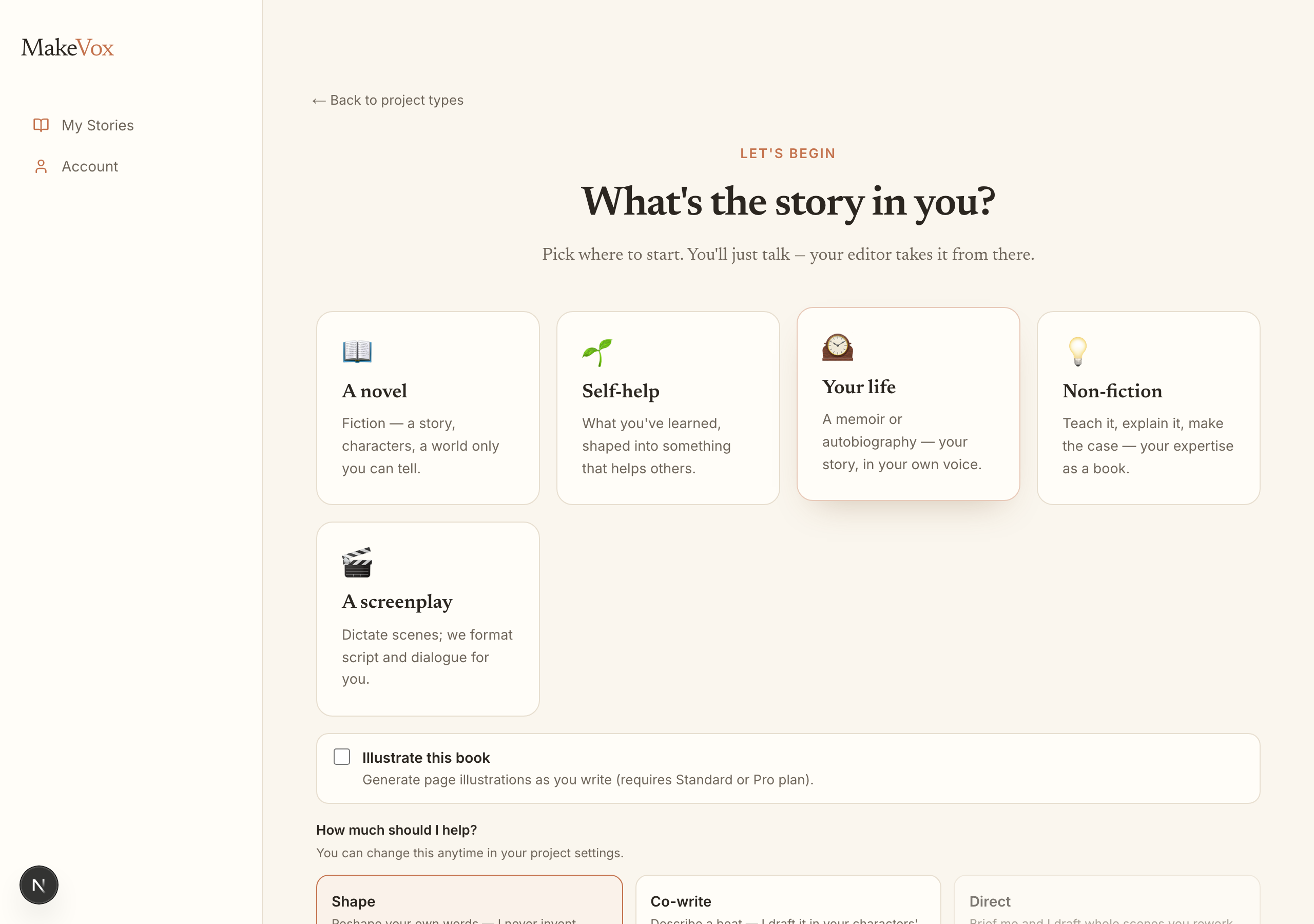
When you first sign in, MakeVox asks what you want to write. Pick the project type that fits, a novel, a memoir, a non-fiction book, a screenplay, or a few others. Your choice sets the workspace up for that kind of writing, from the outline structure down to the warm color of the page.
Record your first words
Find the record button and start talking. You do not need a script or a plan. Describe the scene, narrate what happens, or just think out loud. Record on your walk, in the car, or before bed. MakeVox captures it all, hands free.
Tip. Ramble. Half-sentences, false starts, and tangents are fine. Shaping the mess into prose is exactly what your editor is for.
Your editor shapes it
When you stop, the AI reads your dictation and turns it into clean, readable prose. By default it stays in Shape mode, which keeps your words and your voice and only tidies the rough edges. It is not rewriting your story for you. It is helping the words you already said land on the page well.

Your outline grows
As you write, MakeVox organizes your work into an outline of chapters and sections you can see at a glance. New material slots into place, so the shape of your story builds itself while you focus on talking.
A quick tour of the workspace
- The outline keeps your chapters and sections one click away.
- The editor is where your shaped prose lives, ready to read or refine.
- A live word count shows your story growing in real time.
- Export is always within reach when you are ready to share.
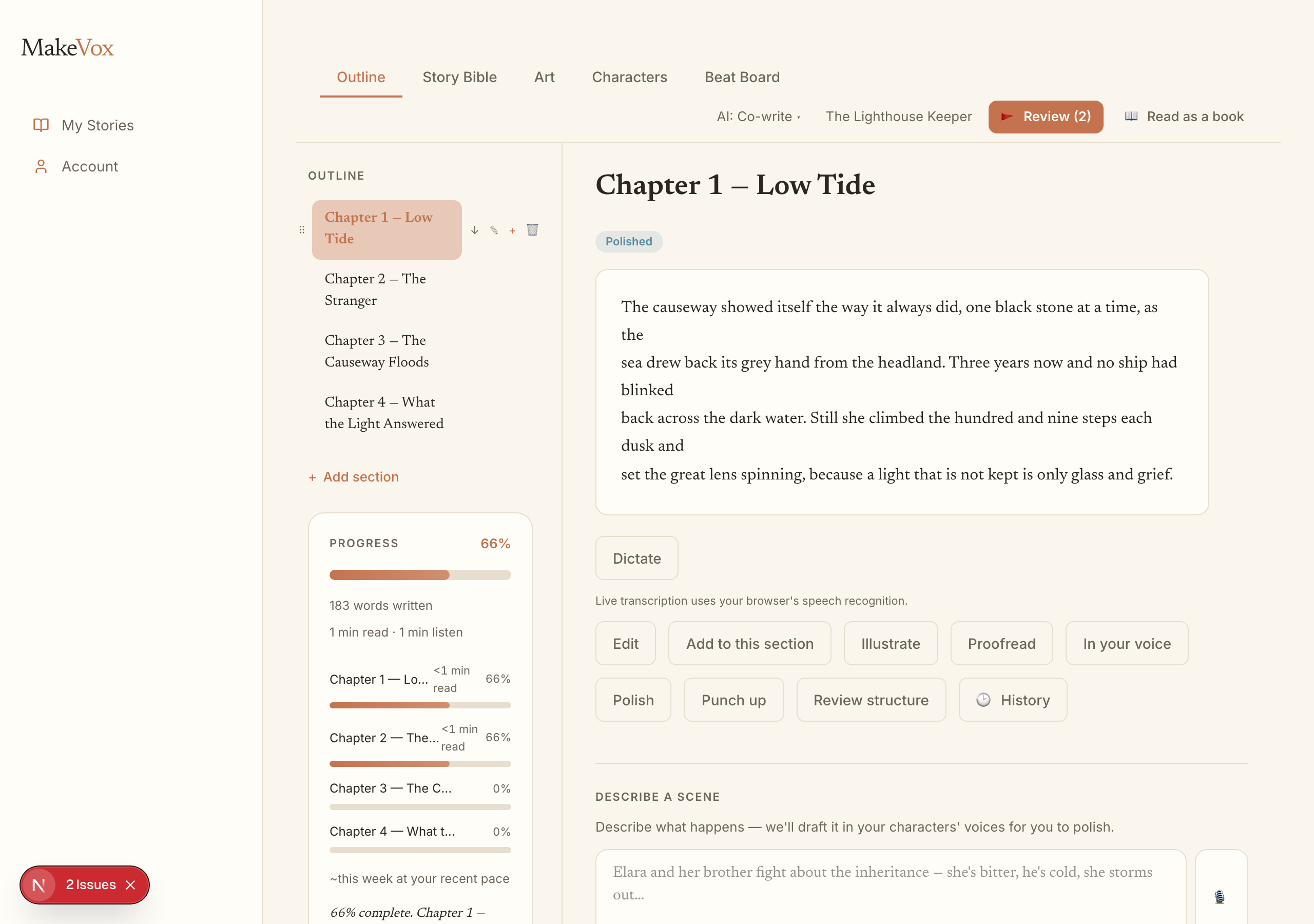
That is the whole loop: speak, let your editor shape it, watch your outline fill in. Do it on a few commutes and you have a chapter. Keep going and you have a story.
Keep reading
Your AI assistance dial: Shape, Co-write, Direct
One dial sets how much the AI does, from polishing your own words to drafting from a brief. Shape is the default, and you can change it per story.
Write a screenplay by voice
Start a screenplay project, add scenes by talking, then talk each one through. Polish or punch up the dialogue, and import or export Fountain.