
Writing with AI
Your words, scored: Voice-Fidelity and the Provenance X-ray
4 min read
Most AI writing tools ask you to trust that the output sounds like you. MakeVox shows you instead. Two features make the AI's work visible, so you always know how much of a passage is genuinely yours and how much the AI added.
The Voice-Fidelity meter
On AI-drafted content, a small chip reads something like 94% your voice. That is the Voice-Fidelity score: a calm, honest measure of how closely the passage matches your own writing. A high number means the draft stayed faithful to your voice. A lower number is a flag to read more closely before you keep it.
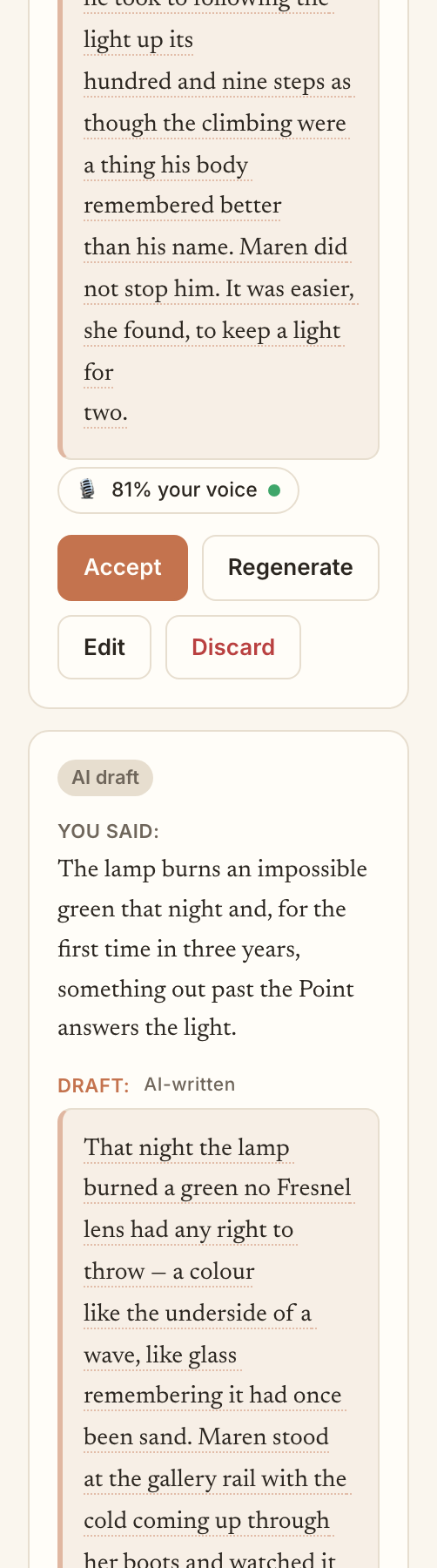
The Provenance X-ray
When you want the full picture, the Provenance X-ray marks a draft line by line, showing which words came straight from you and which the AI invented. Nothing is hidden. You can see exactly where the help happened and decide what to do about it.
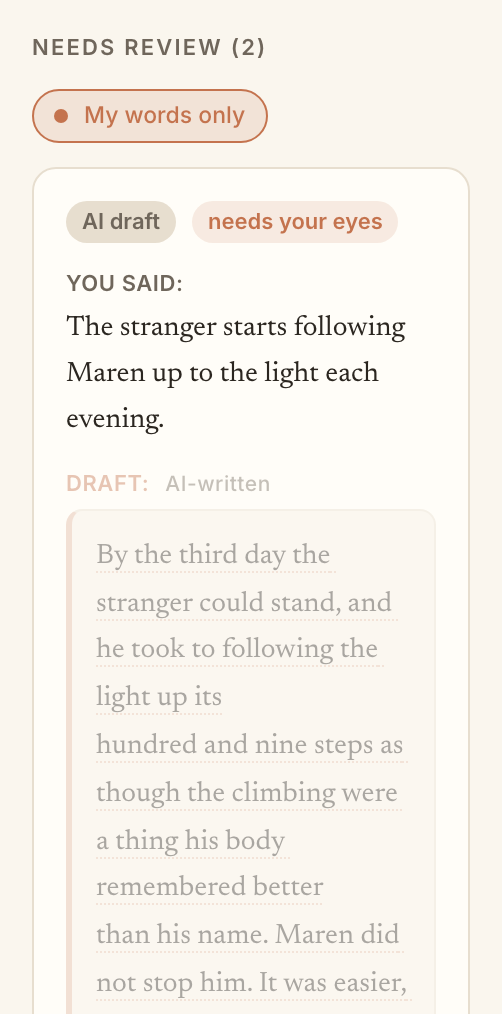
The my words only toggle
Want a stretch of your story to be purely yours, with no AI additions at all? Turn on my words only. It keeps that work to your words, full stop, so the parts of your story you want untouched stay untouched.
The anti-slop promise
This is the heart of MakeVox. Plenty of tools will fill a page with fluent, forgettable AI prose. We would rather hand you the receipts. Scoring your voice and showing provenance is how we keep your story yours and keep generic AI slop out of it. The help is always visible, always optional, and always yours to accept or reject.
Keep reading
Your AI assistance dial: Shape, Co-write, Direct
One dial sets how much the AI does, from polishing your own words to drafting from a brief. Shape is the default, and you can change it per story.
Build your character bible
Your character bible is the AI's memory of who your people are. Write it or dictate it, and together with your prose it unlocks the Direct setting.